The problem
Downloads fills up with installers, invoices, photos and archives until finding anything takes longer than downloading it again. The usual fixes are risky: a “cleanup” tool that decides what to delete, a script found online that moves everything with -Force and silently replaces files with the same name, or an afternoon of dragging files around with no record of where anything went. The guide Organise Downloads safely without a cleanup utility shows how to do the job carefully by hand in PowerShell.
What Tidy does
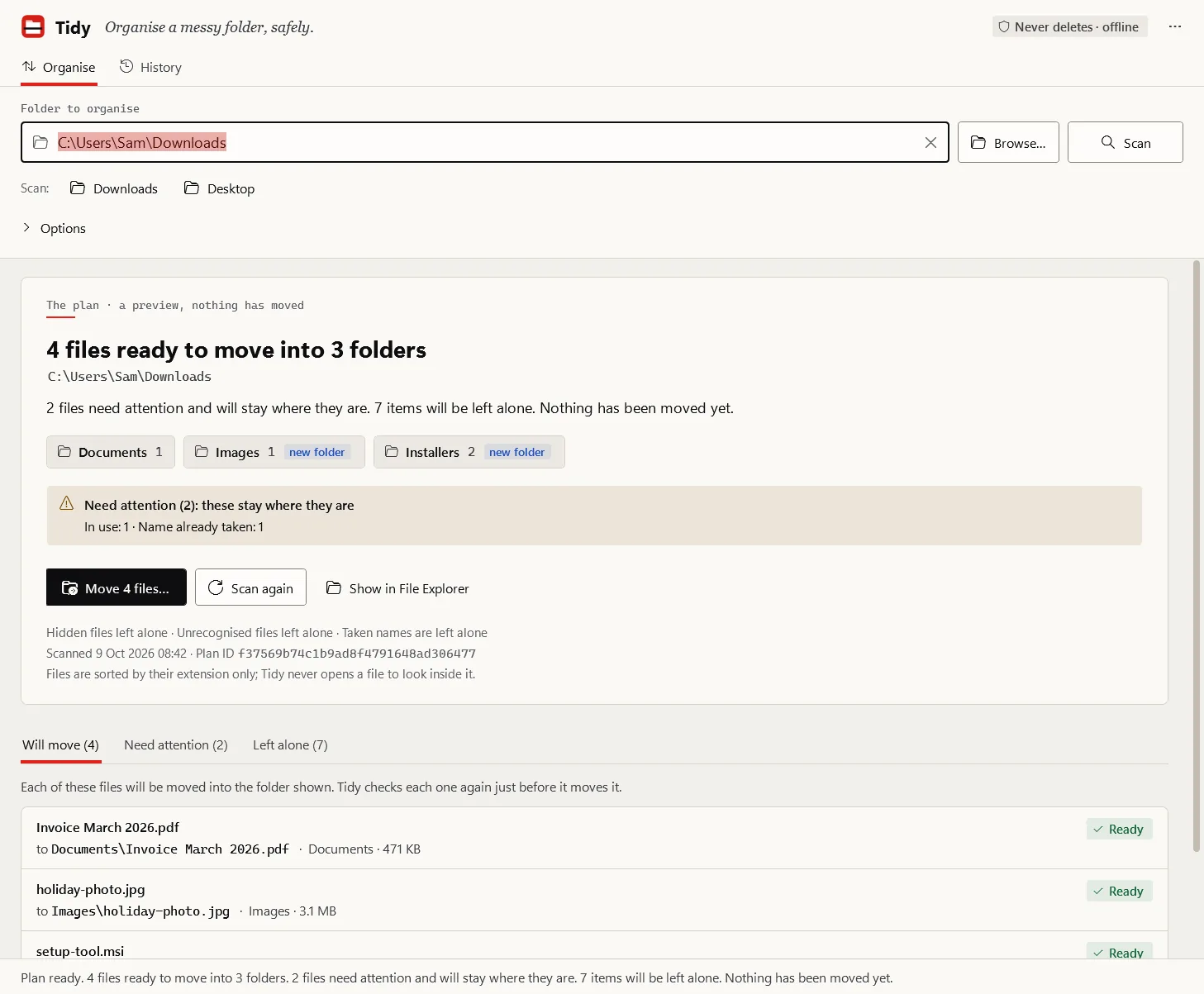
Tidy follows the order the Blueprint requires for anything that changes files: preview, validation, explicit execution, a journal, and undo where it is technically possible.
- Scan. Lists the files directly inside the folder you chose. Subfolders are never entered; links, cloud placeholders, hidden and system files, unfinished downloads and temporary files are left alone, each with its reason.
- Plan. Classifies each file by its extension into
Documents, Images, Videos, Audio, Archives or Installers inside the same folder, and checks every destination name. Unrecognised files stay put unless you ask for an Other folder. Scripts and shortcuts are deliberately never filed beside documents.
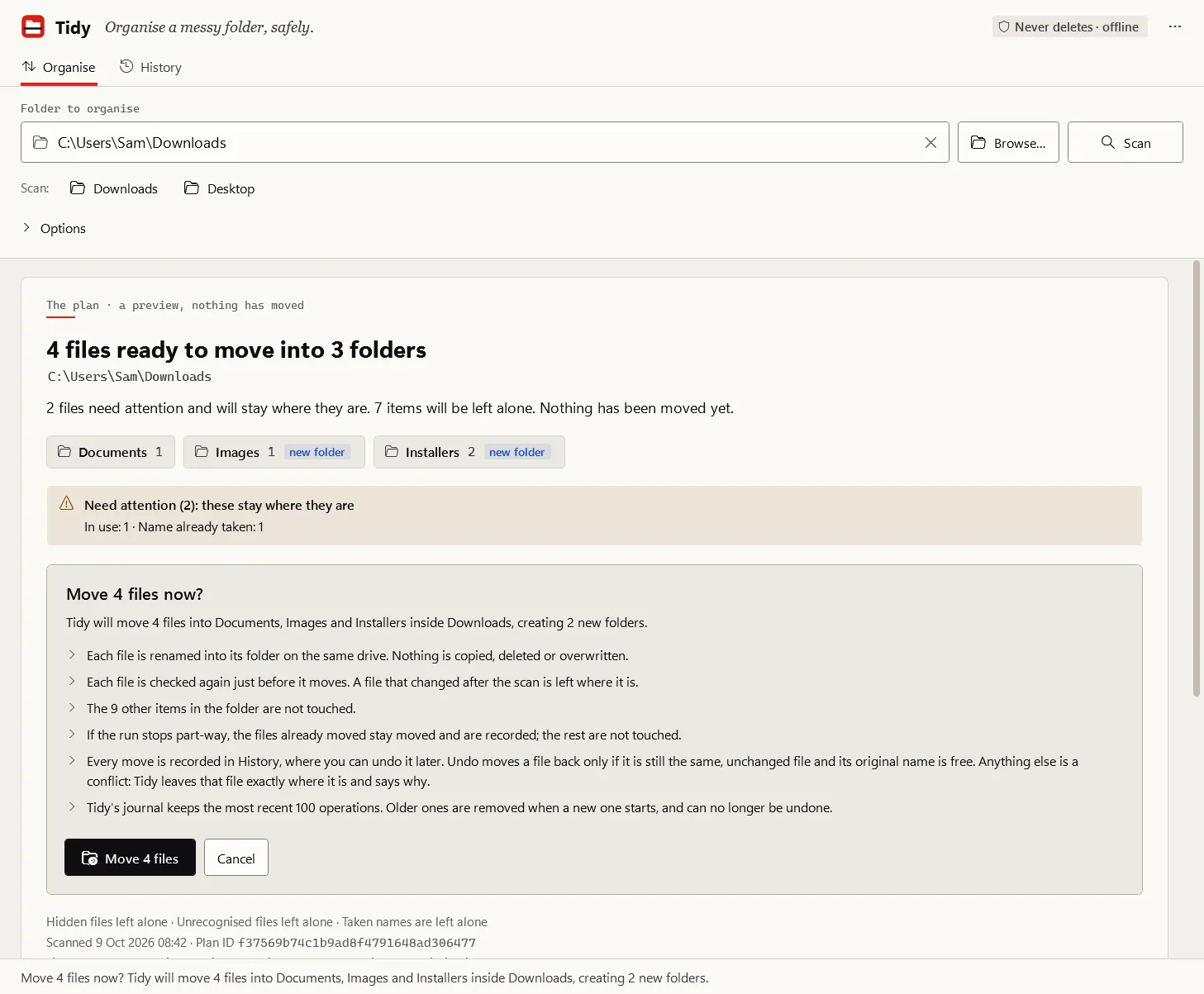
- Approve. You review the whole plan. The approval is tied to that exact plan, so a folder that changed in the meantime is planned again rather than applied blindly.
- Apply. Each file is opened so that no other program can change it, checked against what was planned, and renamed into its folder by a call that cannot replace an existing file. The journal records the move before and after it happens.
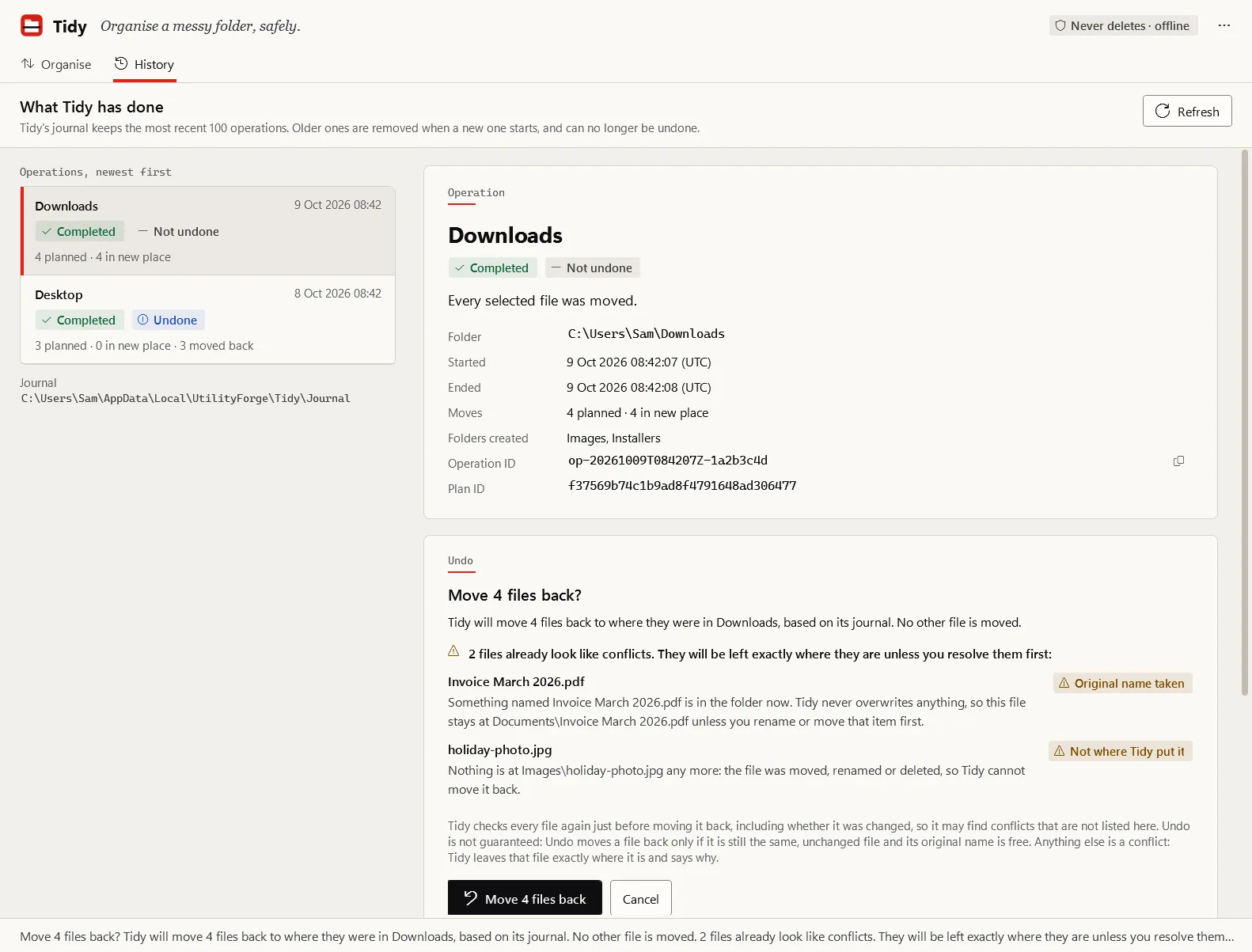
- Undo. History lists each operation. Undo moves files back only when it can do so without changing or replacing anything you touched since.
On the command line a session looks like this:
PS> tidy plan "$env:USERPROFILE\Downloads"
Plan for C:\Users\me\Downloads
Plan ID: 6101670615e4a9b240c6e35e8810fc71

Folders to create: Documents, Installers

Moves (2 ready, 1 blocked):
   m0001  Invoice 2026.pdf  ->  Documents\Invoice 2026.pdf
 x m0002  holiday.jpg  ->  Images\holiday.jpg
           blocked: Images already has a file named holiday.jpg. Nothing will be overwritten, so this file stays where it is.
   m0003  setup.exe  ->  Installers\setup.exe

Left where they are (2):
    Images  - folder (not entered)
    big.iso.crdownload  - download in progress

This was a preview: nothing was changed.
That example comes from the command-line documentation.
Where the guarantees stop
Tidy’s safety model is documented with its limits, and the product page should say them too:
- A batch of moves is not a transaction. Each single move is atomic, but a run that is stopped or interrupted leaves some files moved and others not; Tidy reports exactly which.
- Classification trusts the name.
invoice.pdf.exe is an .exe and goes to Installers, never Documents, but Tidy never checks that a .pdf really is a PDF.
- The journal keeps the last 100 operations. Older ones can no longer be undone.
Current status
| Part |
State |
Engine, journal, undo and tidy command line |
Implemented, tested on Windows CI |
Tidy.exe desktop application |
Implemented, tested internally |
| Portable ZIP packaging and verifier |
Implemented; unsigned internal builds only |
| Signing decision and public release |
Open. Nothing is downloadable |
Internal packages have been run only on Windows 11 x64.