The problem
“The internet is down” can mean a loose cable, a Wi-Fi adapter without an address, a router whose DNS service has hung, a VPN that captures only half the traffic, a proxy script nobody remembers configuring, or a hotel login page. Windows’ own troubleshooter rarely says which, and the manual route (ipconfig, ping, nslookup, Test-NetConnection) gives you raw results that only mean something if you know the order to read them in. The guide Websites do not load but Windows says you are connected walks through that order by hand.
What NetDoctor does
NetDoctor reads the network configuration once, then works bottom-up. Each stage either passes, warns, fails or explains why it could not run:
| Stage |
What it establishes |
| Adapters |
Which adapters are connected, and which are virtual, VPN or not bound |
| Path |
The route Windows would use for IPv4 and IPv6, and the gateway |
| Addressing |
Whether each address is usable (no 169.254 fallback, no conflict) |
| Gateway |
Whether the router answers, even if it ignores ping |
| DNS |
Whether the configured DNS servers resolve test names |
| Control DNS |
Whether public resolvers answer when yours do not |
| Internet connectivity |
Whether public endpoints are reachable by IP address, without DNS |
| Proxy |
Whether a configured proxy or PAC script works |
| Web |
Whether HTTP and HTTPS check pages return their documented response |
| Captive portal |
Whether a login page is intercepting web traffic |
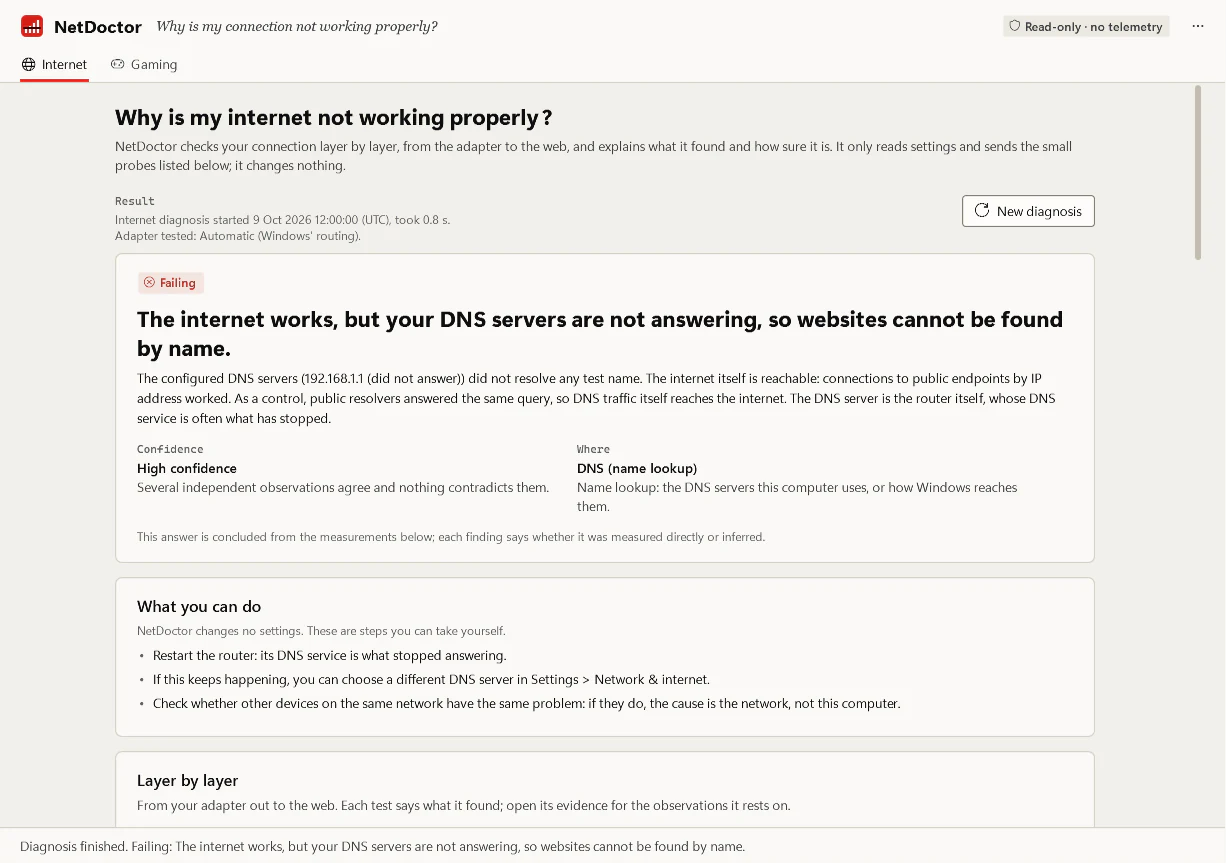
The verdict names the area (this device, the local network, upstream, DNS, VPN, proxy, captive portal) and lists what you can try. The command-line documentation shows a typical result:
FAILING: The internet works, but your DNS servers are not answering, so websites cannot be found by
  name.
  Confidence: high. Problem area: DNS.

  The configured DNS servers (192.168.1.1 (did not answer)) did not resolve any test name. The
  internet itself is reachable: connections to public endpoints by IP address worked. As a control,
  public resolvers answered the same query, so DNS traffic itself reaches the internet. The DNS
  server is the router itself, whose DNS service is often what has stopped.
What it sends and what it never collects
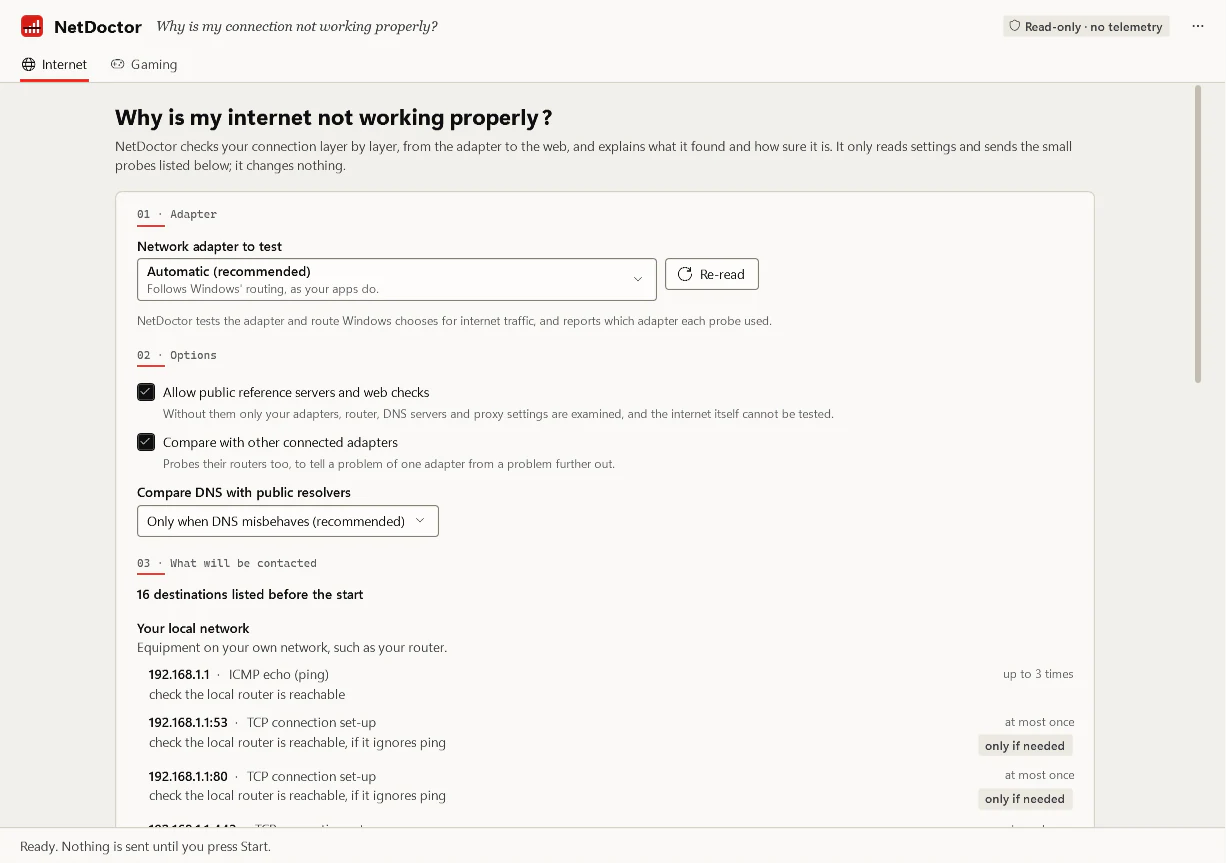
Before a diagnosis sends anything, NetDoctor prints a summary of what it will contact and the most data the probes could exchange (about 40 KB in the documented example). It never looks up your public IP address, never reads the Wi-Fi network name or access point, and never reports credentials. Web requests identify themselves as NetDoctor/<version>. The loaded-latency part of the gaming check transfers up to 100 MB by default, so it always asks first and says that on a metered connection the data counts against your allowance.
Current status
| Part |
State |
Engine, Windows platform, netdoctor CLI |
Implemented, tested on Windows CI |
NetDoctor.exe desktop application |
Implemented, tested internally |
| Portable ZIP packaging and verifier |
Implemented; unsigned internal builds only |
| Signing decision and public release |
Open. Nothing is downloadable |
Internal packages have been run only on Windows 11 x64.